Admins can now control access to the Create Pipeline action through a dedicated permission setting.
What's New
A new permission has been added for the Create Pipeline action.
Admins can grant or restrict the ability to create pipelines on a per-role basis.
Users without this permission are unable to Create, Clone, or Duplicate pipelines.
Who's Affected
Admins managing user roles and permissions.
Users whose pipeline creation access depends on their assigned role.
How to Use
Go to Settings → My Staff → select a user → Roles & Permissions.
Locate the Opportunities section.
Toggle the Create Pipeline permission for the relevant roles.
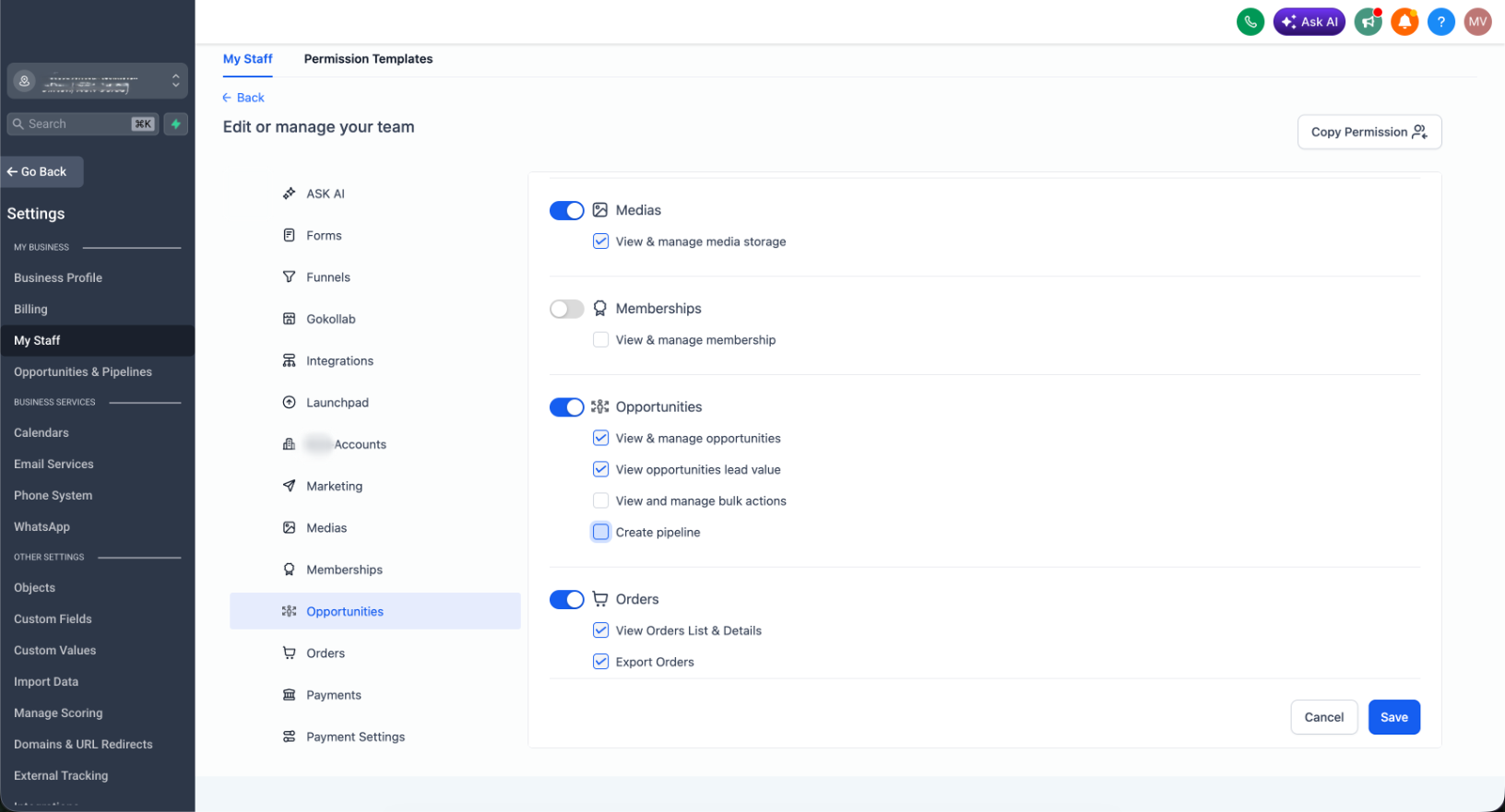
Save your changes — the access control takes effect immediately.
Note
The Create Pipeline permission gates all pipeline creation actions, including Clone and Duplicate. Users without this permission will not be able to perform any of these actions.
Was this article helpful?
That’s Great!
Thank you for your feedback
Sorry! We couldn't be helpful
Thank you for your feedback
Feedback sent
We appreciate your effort and will try to fix the article